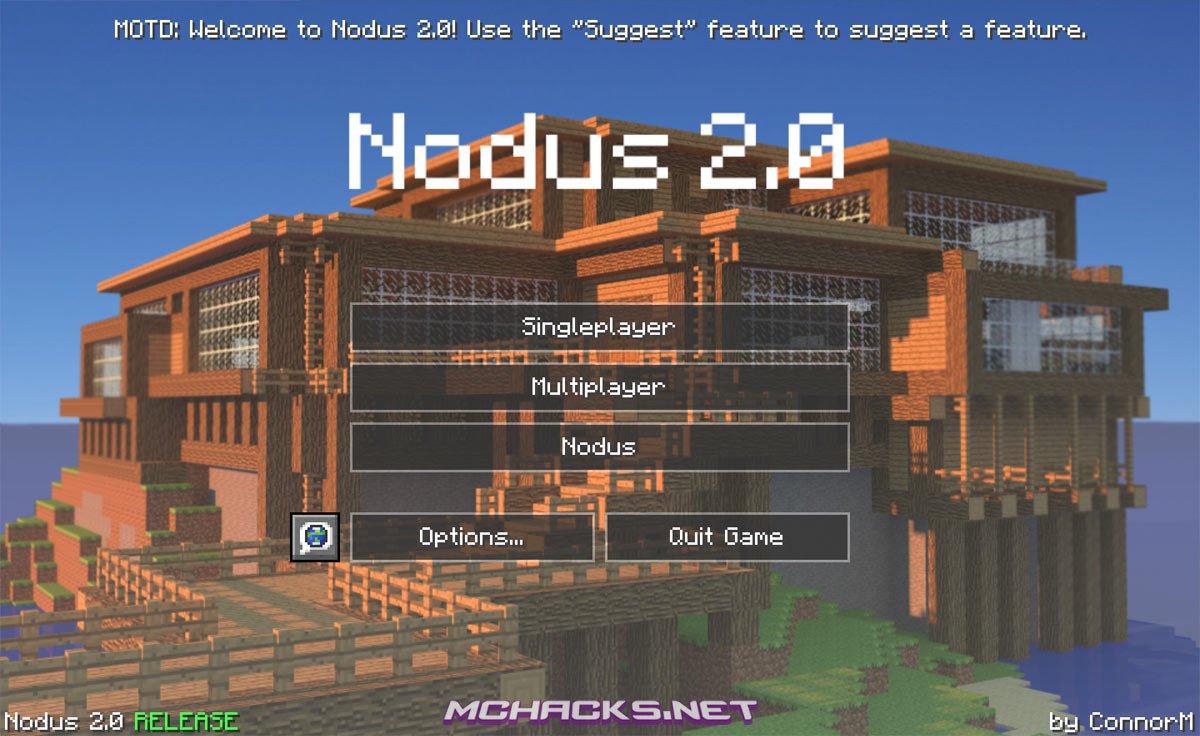
Nodus 2.0 is a free, redesigned version of the old and very popular Nodus client for Minecraft. It has all the features as the original client plus a whole lot of new cheats on top of that. Like many other clients, it comes with the DarkStorm652 GUI, so if you are familar with other hacked clients this will not be a new experience to you. Nodus like other clients gives you one-click cheats/hacks/tools, so that you have an advantage whether you chose to use it for building, PvP or griefing. It works both in singleplayer and in multiplayer on servers.
The engine for Nodus 2.0 has been redesigned from the ground. It has MultiOS support which means it runs on both Windows, Mac and LinuxOS. Besides this it comes built in with the popular OptiFine mod which greatly enhance the look and feel of Minecraft.
Our revierw: It is clearly that it is a beta version. The client lacks some features compared to other clients, Xray didn’t work properly (maybe because of OptiFine) and we experienced some crashes. Besides that the interface is nice, the features that actually works worked flawlessly (like nuker) and we are looking forward to future versions of the client. Final evaluation: go download another hacked client that actually works, before this client has been updated some more.
Screenshots
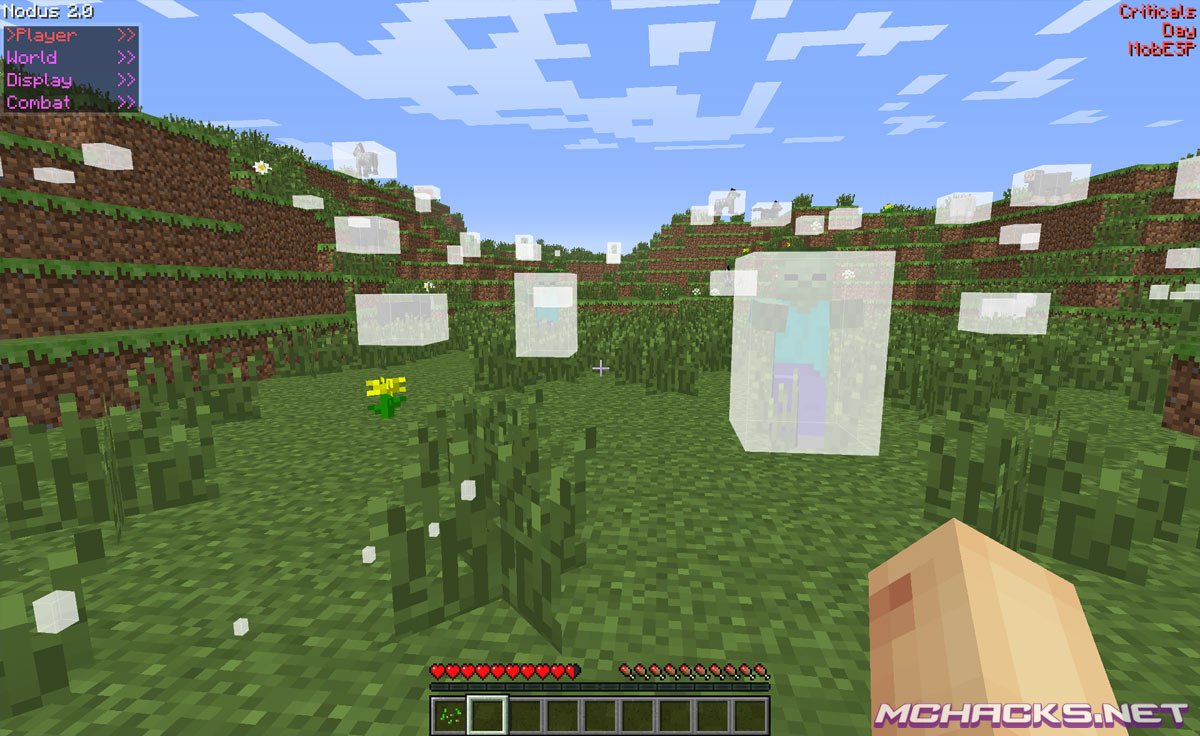
Combat cheats
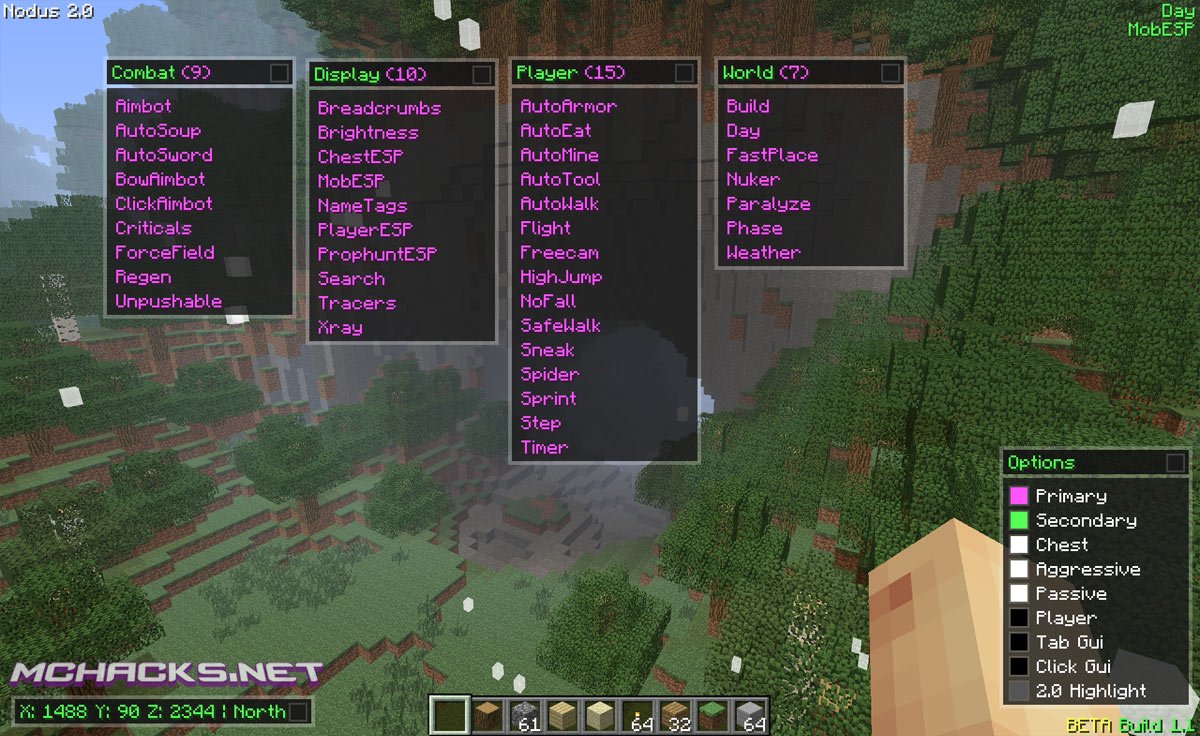
- Aimbot
- AutoSoup
- AutoSword
- Bow Aimbot
- Click Aimbot
- Criticals
- Force Field
- Regen
- Unpushable
Player cheats
- Auto Armor
- Auto Eat
- Auto Mine
- Auto Tool
- Auto Walk
- Flight
- Freecam
- High Jump
- No fall damage
- Safe Walk
- Sneak
- Spider
- Sprint
- Step
- Timer
World
- Build
- Set day / daylight
- Fast place
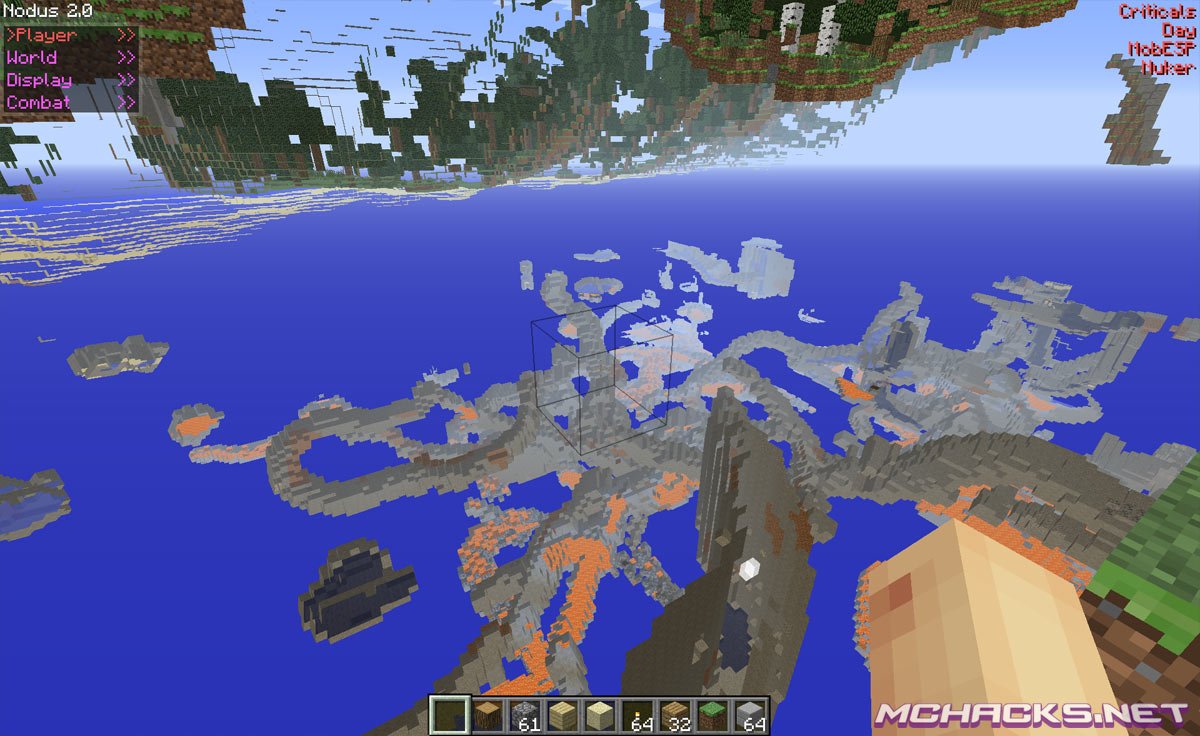
- Nuker
- Paralyze
- Phase
- Weather
Display
- Breadcrumbs
- Brightness
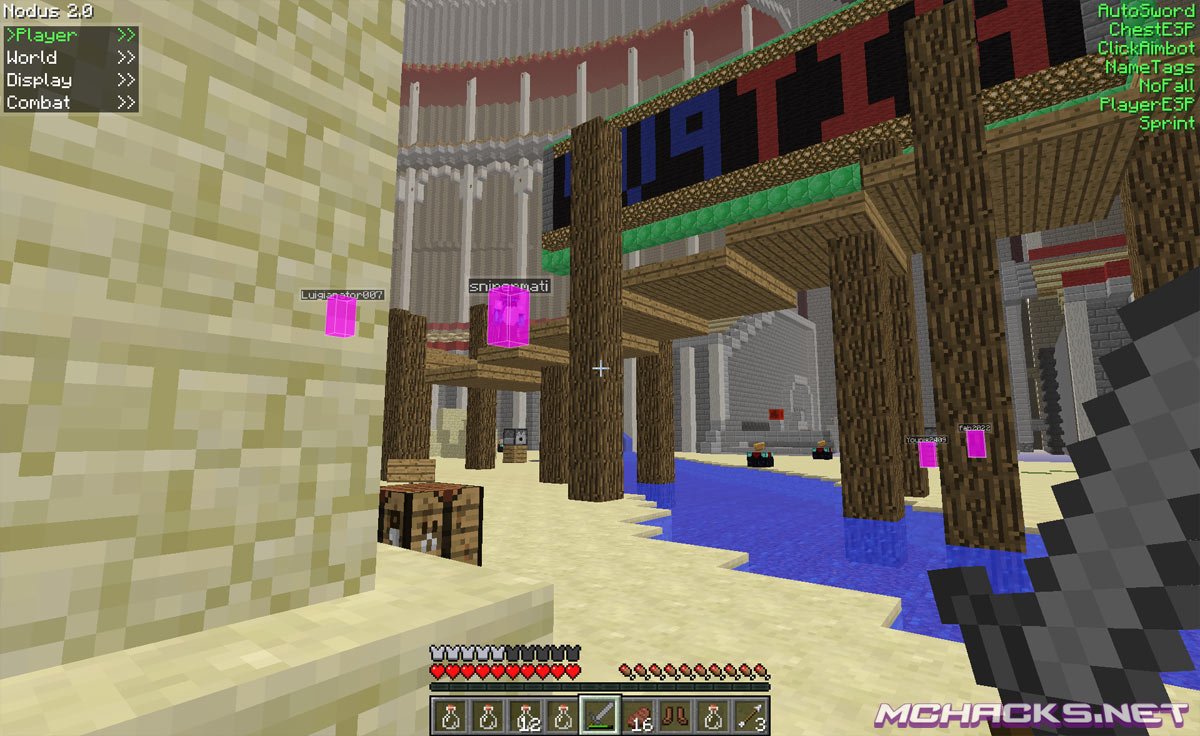
- Chest ESP
- Mob ESP
- Name tags
- Player ESP
- Prophunt ESP
- Search
- Tracers
- Xray
- OptiFine
- Options
How to use Nodus / controls
Y: Menu/GUI Selections
U: Console Commands
Coammands:
.help – Shows a list of commands.
.aimbot mode <player | mob | both> – Sets aimbot mode.
.alloff – Turns all mods off.
.breadcrumbs clear – Clears breadcrumbs.
.build mode <wall | floor | none> – Changes build mode.
.chestesp tracers – Toggles ChestESP tracers.
.color <primary | secondary> – Toggles GUI colors.
.forcefield mode <player | mob | both> – Sets forcefield mode.
.friend <add | del> – Add or delete friends.
.keybind <set | del> – Sets/deletes keybinds.
.toggle – Toggles mod
.xray <add | del> – Adds/deletes xray blocks
How to install Nodus 2.0 for Minecraft
1. First
- Download and extract the zip file.
- Close Minecraft (if open).
2.1 For Windows
- Navigate to:
%appdata%\.minecraft\versions - Move the Nodus folder to:
\versions
2.2 For Mac
- Navigate to:
~Library/ApplicationSupport/minecraft/versions - Move the Nodus folder to:
/versions
2.3 For Linux
- Navigate to:
\Home\.minecraft\versions - Move the Nodus folder to:
\versions
3. Create a new profile
- Open the Minecraft launcher
- Click on “New Profile”
- Settings:
- Profile Name: Nodus 2.0
- Use version: release Nodus
- Save Profile
- Chose the newly created profile “Nodus 2.0” and click “Play”.
- Enjoy !
Video guide
Be sure to watch in full screen.
Client by: Connor M
Bug report:
www.connorm.me/nodus_2-0/bug-report/
Anyway to like turn the chat off. Like how ppl just do @*a message* bc ppl keep spamming that damn chat and its pissing me off.
options/multiplayersettings/then go to opacity/ and drag it up and down to see the chat higher means more, lower means less
i cant find the realease
My MC doesn’t even open when I use the Nodus profile, I know I haven’t done anything right so it must be from the download
“I know I haven’t done anything right”
IS there any way to set hot keys for the hacks?
yeah its a commmand press U and then do keybind then the key
correct
I’ve done everything right, but when i create a new profile and i search for the nodus file its not even there.
my hacked client wont let me turn off the hacks day and weather help!
Damnit, when i press a button to change my sound everything turns on and my computer crashes
I know how to do everything right (I’ve used nodus a lot) and I have, but, now that I’m using the newer nodus (Nodus 2.0) I’m having a crash report when I run the game (other mods/hacked clients I have work >_>) and it shows this at the top:
“Uhoh, it looks like the game has crashed! Sorry for the inconvenience :(
We think your game may be modded, and as such we can’t accept this crash report.
However, if you do indeed use mods, please send this to the mod author to look at!”
and the crash report itself:
“—- Minecraft Crash Report —-
// On the bright side, I bought you a teddy bear!
Time: 6/19/14 5:37 PM
Description: Rendering screen
java.lang.ClassCastException: java.lang.NullPointerException cannot be cast to java.io.IOException
at org.newdawn.slick.opengl.CompositeIOException.getMessage(CompositeIOException.java:37)
at org.newdawn.slick.util.DefaultLogSystem.error(DefaultLogSystem.java:32)
at org.newdawn.slick.util.Log.error(Log.java:109)
at org.newdawn.slick.Image.(Image.java:194)
at org.newdawn.slick.Image.(Image.java:166)
at org.newdawn.slick.Image.(Image.java:154)
at org.newdawn.slick.Image.(Image.java:132)
at me.connorm.Nodus.ui.NodusGuiMainMenu.drawScreen(NodusGuiMainMenu.java:610)
at net.minecraft.client.renderer.EntityRenderer.updateCameraAndRender(EntityRenderer.java:1327)
at net.minecraft.client.Minecraft.runGameLoop(Minecraft.java:1043)
at net.minecraft.client.Minecraft.run(Minecraft.java:931)
at net.minecraft.client.main.Main.main(Main.java:109)
A detailed walkthrough of the error, its code path and all known details is as follows:
—————————————————————————————
— Head —
Stacktrace:
at org.newdawn.slick.opengl.CompositeIOException.getMessage(CompositeIOException.java:37)
at org.newdawn.slick.util.DefaultLogSystem.error(DefaultLogSystem.java:32)
at org.newdawn.slick.util.Log.error(Log.java:109)
at org.newdawn.slick.Image.(Image.java:194)
at org.newdawn.slick.Image.(Image.java:166)
at org.newdawn.slick.Image.(Image.java:154)
at org.newdawn.slick.Image.(Image.java:132)
at me.connorm.Nodus.ui.NodusGuiMainMenu.drawScreen(NodusGuiMainMenu.java:610)
— Screen render details —
Details:
Screen name: me.connorm.Nodus.ui.NodusGuiMainMenu
Mouse location: Scaled: (213, 149). Absolute: (426, 180)
Screen size: Scaled: (427, 240). Absolute: (854, 480). Scale factor of 2
Stacktrace:
at net.minecraft.client.renderer.EntityRenderer.updateCameraAndRender(EntityRenderer.java:1327)
at net.minecraft.client.Minecraft.runGameLoop(Minecraft.java:1043)
at net.minecraft.client.Minecraft.run(Minecraft.java:931)
at net.minecraft.client.main.Main.main(Main.java:109)
— System Details —
Details:
Minecraft Version: 1.7.2
Operating System: Windows 7 (x86) version 6.1
Java Version: 1.7.0_45, Oracle Corporation
Java VM Version: Java HotSpot(TM) Client VM (mixed mode, sharing), Oracle Corporation
Memory: 21150880 bytes (20 MB) / 66367488 bytes (63 MB) up to 518979584 bytes (494 MB)
JVM Flags: 3 total; -XX:HeapDumpPath=MojangTricksIntelDriversForPerformance_javaw.exe_minecraft.exe.heapdump -Xmx512M -Xmx512M
AABB Pool Size: 0 (0 bytes; 0 MB) allocated, 0 (0 bytes; 0 MB) used
IntCache: cache: 0, tcache: 0, allocated: 0, tallocated: 0
Launched Version: Nodus
LWJGL: 2.9.0
OpenGL: GeForce GTX 650 Ti/PCIe/SSE2 GL version 4.4.0, NVIDIA Corporation
Is Modded: Very likely; Jar signature invalidated
Type: Client (map_client.txt)
Resource Packs: []
Current Language: English (US)
Profiler Position: N/A (disabled)
Vec3 Pool Size: ~~ERROR~~ NullPointerException: null
Anisotropic Filtering: Off (1)”
maybe because u were using the new dawn mod aswell?
How do i turn newdawn off?
that used to happen to me
I crashed tooo same report
It would help if someone could tell me what to do to fix that -.- thanks…
Cant download it Mega just sits and spins
it would help if u just let us download it here
When I play I can’t stop going forward unless I press “t” (The Chat Button). Is This Happened/Happening To Anyone Else Or Do You Know How To Fix It?!?
change the controls in the menu :)
should i get nodus 1.7.4, or this? cause nodus 2.0 i REALLY glitchy
everyone’s having problems… maybe you should fix that?
I wish view bobbing could stay on…
I put it in the versions folder, and I still can’t find a use version for Nodus. Help?
thx
Well, you don’t deserve it, it’s people like you who want to ruin the game.
then why are YOU here?
I put it in the versions folder, close that then I open my Minecraft and can’t find the version for Nodus. Did I do something wrong?
yes you did….first what you need to do is go into the Nodus2.0-release1 folder, second go to
release1, third copy the folder called “Nodus” and put IT in versions.
and see if it is there
I cant download this at all.. seriously this download website is terrible, find a new one.. its friggin ridiculous..
I cannot download this hack. What I must make?
how do we even download it on a mac?
If I do its a RAR
Use the Extract-Sorftware “Keka”. Its free and works.
i dunno how to freaking extract…
ok i downloaded it BUT I CANT FIND THE FRIGGON RELEASE ANYWHERE!!
i cant turn off autowallk and sneak HELP HELP
hit U and type in .alloff
can someone please explain how to change hotkeys or bind them…only click to use works….
i cant even load it to skip add
it goes to adf.ly then where it says skip ad it just says please wait
i ave a good computer and it crash
*I *have *crashed/chashes
you are annoying
hello i have nodus ready=i can,t put the autowalk off help me please??!!!??!!
i’m not into hacking anymore so following me on disqus is kindof useless :P .
also what is disqus ? i cannot remember making an account on that site. also the site is useless it places these comments on that site without me asking it.
and i cannot even remove them from my profile without removing the entire profile (wich i tried but it gives me the message that the accounts and posts here on this site and the others linked to my profile will also be gone)
anyway if it is nodus then press “u” for the console and type in autowalk. the rest is self guiding.
I cant Stop Walking even without the auto walk! help!
Why can’t i download it?
i cant find the versions folder
need to convert it to a zip file in the versions folder
OMGHELP HOW DO I DOWNLOAD DO A MAC
You have to go into _MACOSX and use the release 1 in there.
for am mac*
._.
help plz
Extrac the jason and jar file put it in a folder rename the folder to the .jar and .jason file name and put it in verisons then creeate a profile choose the file name u create and der u go <3
the MEGA download is stuck at the starting page
how do u get rid of the DAY feature
How do you turn off the sneak and autowalk
I know I had to close minecraft and then resart it
do you need winrar
this deleted all my profiles and i now cant put anything in my versions
how do i download this thing?
why my game just crashe?
I can’t download it
So yeah, I do .alloff but I can’t disable other things that aren’t mods
Any Suggestions?
it works but it’s so laggy
I cant fined the zipfree file
8(
de donde se descarga?
mega doesn’t work for me
i try to save is somewhere but it doesn’t go there
HELP
it wont let me down load it takes me to MEGA then it doesnt show the download
So what I do is click the download link, but then MEGA doesn’t work. It completely freezes for no reason.
I need Help I Once Removed All The Hacks I Acciently Activated And I Dont Know How I Stop The Crouching,Im Trying Everything To Stop It But It Dosent Work!!!
Guys I Can Turn off Sneak!!! I Tried Alloff But Nothing!!!
Change versions, go into a world and walk, it should work, it did for me!! then you can change it back and it should be off.
How do I turn off sneak??!?!?!?!!? It doesn’t say it’s on but it won’t stop!!!! Please help!!!
Wait nvm. All you have to do is go to the Nodus button thing on the screen and hit change version, then go into a world and walk then change it back and yay! lol
it workd !! tx i love it!!
Why does it crashes?
I hate you all
Why I can`t Use this versions
Why crash
what is “versions” and how do I get it up
does this open private chest]
it crash with i use this verison D:
why does it crash to me?
go to the snapshot then you see it
my one crashed any help??
PLS..Give me Link..
1.9.1 Removed Clients Good Days! – Notch (Minecraft’s Owner) (Contact: [email protected])
OMG CRASH REPORT
Where do you download it?
new link????
yoooooo